How to connect an Instagram profile to classifieds selling
Learn how to connect an Instagram profile to classifieds selling by adding your handle, checking privacy, and testing the live link.
On this page
- How “connecting Instagram” works for classifieds selling
- Check account readiness and requirements
- Open the classifieds seller settings
- Add your Instagram handle or profile link
- Confirm visibility and privacy settings
- Test the connection from a live listing
- Fix common connection problems
- Optimize the profile for selling
How “connecting Instagram” works for classifieds selling
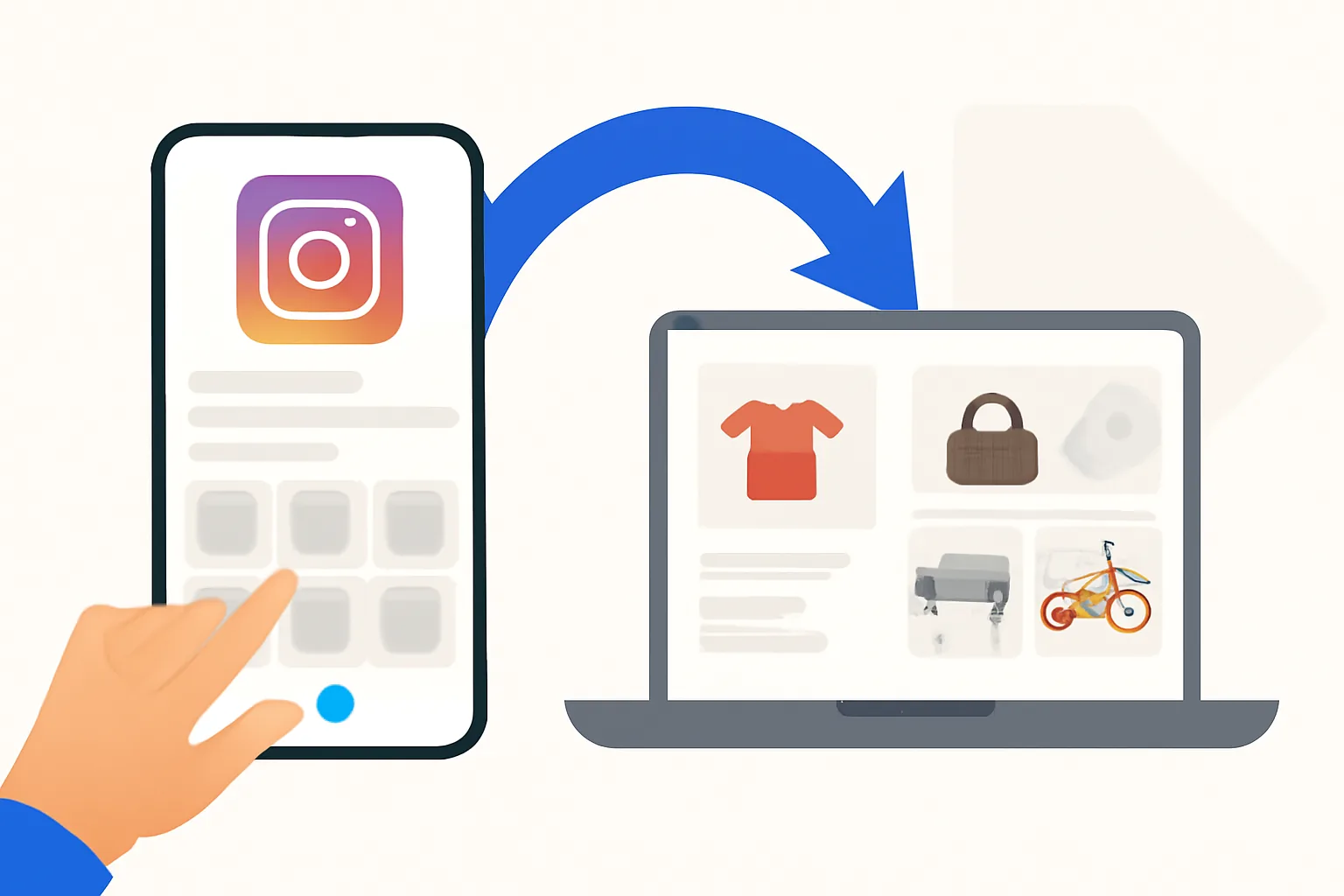
Connecting an Instagram profile to classifieds selling means giving buyers a direct path from your ad to your social profile. In practice, that can be a profile link, a handle in a contact field, or a button inside a seller page. The point is simple: people see the listing, tap once, and land on the Instagram profile you want them to see.
That matters because classifieds selling often depends on trust, and trust is easier when buyers can inspect real photos, past posts, and the name behind the listing. A phone number can help, and so can a chat thread, but an Instagram profile gives buyers another way to judge whether the seller looks active and real. Some sellers use it mainly for verification. Others use it to move interested shoppers to more photos, short videos, or direct messages.
Think of it as a bridge, not a replacement. The classifieds ad still does the heavy lifting: price, description, location, and condition. Instagram supports that work by showing more of the person or shop behind the ad, which is why many people search for how to connect an Instagram profile to classifieds selling before they publish their first listing.
Check account readiness and requirements
Start with the Instagram account itself. You need working login access, the correct username, and a profile you can open without errors on another device. If the account belongs to a business or a selling project, a professional profile often helps because it usually gives a clearer contact structure and a more obvious brand identity.
Check the platform rules before you spend time on the setup. A classifieds site may allow social links in one section but block them in another. If the site asks for verified contact details, make sure the email and phone number on the seller account are current. One dead contact field can slow the whole process.
Two small checks save time. First, open your Instagram account from a browser, not just the app. Second, write your handle exactly as it appears. A missing dot, underscore, or digit can break the link later.
Open the classifieds seller settings
Most platforms keep social fields inside account settings, profile settings, or seller settings. Look for labels such as Contact details, Public profile, About me, or External links. If the site has a dashboard, the Instagram field may sit beside phone, website, or location fields rather than in the ad editor itself.
The path is usually short: log in, open your seller account, choose edit profile, and scan for social or contact options. Some platforms hide this inside a menu called business details or public information. If you cannot find it after a minute, check the help section or the platform guide.
Need a broader view of the account setup? The article on how admister works can help you recognize where profile settings usually live. That is useful when a site uses names like storefront, seller page, or public card instead of the plain word profile.
Add your Instagram handle or profile link
Once you find the right field, enter the Instagram handle or the full profile URL in the exact format the platform wants. Some sites ask for @username. Others want instagram.com/username. A few want only the bare username with no symbol at all. If you paste the wrong format, the field may save but the link may not work for buyers.
Be precise. If your profile is @northside.tools, do not enter NorthSideTools. For a full link, copy it from the browser address bar after opening the profile, then test it before publishing. If the classifieds site trims long fields, make sure the handle is not cut off by a character limit.
A single example helps. If your ad sells a used camera, you might add @maria.photogear in the seller contact section, then mention in the description that more sample images sit on Instagram. That way the listing stays concise, and the Instagram profile becomes the place buyers can inspect the extra photos.
Confirm visibility and privacy settings
Buyers need to reach the profile, which sounds obvious until a private account blocks the path. If your Instagram profile is private, a buyer may see a follow request screen instead of your posts. That can work for personal accounts, but it often weakens a classifieds listing where the goal is fast inspection.
Open Instagram settings and check who can see your posts, stories, and contact buttons. A public profile is usually the easiest option for selling, especially if you want strangers to judge product photos before sending a message. Even with a public profile, some older posts can create confusion if they show unrelated content, so review the last 9 or 12 posts before linking them to a live listing.
If your account must stay private, set expectations in the listing. Say that buyers can send a request or ask for selected photos by message. That small sentence saves back-and-forth later, and it keeps the connection from feeling broken when someone taps the link and sees a request screen.
Test the connection from a live listing
Do not trust the saved field alone. Open a draft preview or publish a test listing, then click the Instagram link from the public view. The link should open the correct profile on mobile and desktop, because buyers will use both. If the platform has a seller page, test the link there too, since some sites display contact details in more than one place.
This is where tiny mistakes show up. One extra space can create a dead link. One missing slash can send buyers to an error page. If the profile loads, check the name, bio, and latest posts one more time so the page matches the item you are selling. A used bicycle listing should not send people to an account full of restaurant photos unless that is genuinely the seller’s brand.
For site-level guidance on buyer-side checks, the page on staying safe as a buyer is worth a look. It explains why buyers verify contact paths before sharing details or arranging a meet-up, and that logic applies to your connection test too.
Fix common connection problems
Broken links are the usual culprit. Check spelling first, then check whether the platform expects a handle instead of a URL, or a URL instead of a handle. If the field refuses to save, the site may not support Instagram in that section, or the account may need a different verification state. Sometimes the problem is not the link at all; it is a hidden space before or after the username.
Unsupported fields cause confusion. A classifieds platform may allow website links but not social links in the public bio, while still allowing Instagram in a separate contact area. If buyers report that the link goes nowhere, test it from another browser or another phone. You want to know whether the problem sits with the classifieds platform, the Instagram account, or the user’s device.
One more thing. If your Instagram account was renamed recently, old links may still point to the former handle for a short time or may fail outright. In that case, update every ad, saved draft, and profile field together. A mismatch between listing text and the live Instagram profile is a small issue until customers start messaging the wrong account.
| Problem | What to check first | Likely result |
|---|---|---|
| Link does not open | Handle format, spaces, slash, saved field | Fixes often take 1 edit |
| Buyer sees follow request | Instagram privacy setting | Profile may need to be public |
| Field will not save | Platform support for Instagram | Use another contact field |
| Wrong profile opens | Username spelling, renamed account | Update all listing entries |
Optimize the profile for selling
Once the connection works, the Instagram profile has to earn its keep. A clear bio helps first. Use one line for what you sell, one line for location or service area, and one line for contact. If you sell furniture, clothing, or used electronics, say so plainly. Buyers should know in 5 seconds whether they are in the right place.
Highlight useful posts near the top. A few pinned or recent images can show item condition, packaging, or before-and-after examples. That matters because shoppers often scroll only 6 or 8 posts before deciding whether to message you. Keep the feed tidy. A profile that mixes three unrelated hobbies with one sale item makes the buyer work harder, and most buyers will not bother.
Branding should stay consistent across the classifieds listing and the Instagram profile. Use the same seller name if possible. Match the tone, too. If the listing says “local pickup today,” the Instagram bio should not sound like a luxury fashion studio unless that is what you actually sell. Small mismatches make people pause.
Concrete contact details help. Add a business email if you have one, and keep the direct message option open unless your sales process requires otherwise. If you want buyers to ask about stock, mention it in the bio. If you want them to see more photos first, say that. A short line beats a vague promise.
The frequently asked questions page can answer common seller questions about profile fields and public contact options, and the guide to keeping your account secure is worth reading before you link any social account to a public listing. One compromised login can turn a simple seller profile into a cleanup job nobody wants.
One last practical habit: review the profile after every major sale, rebrand, or username change. A profile that worked for a batch of winter jackets may not fit a new line of repair services. The Instagram profile should reflect the current listing stock, not last season’s leftovers.