Why a buyer's payment is stuck in verification and how to resolve it
Learn why a buyer's payment is stuck in verification and how to resolve it by checking authentication prompts, billing details, and device signals.
On this page
- Confirm the Buyer Is Seeing a Verification Hold, Not a Payment Failure
- Ask the Buyer What Verification Screen or Message They See
- Check Whether the Payment Method Requires Extra Customer Authentication
- Verify the Buyer’s Input Details Match the Payment Method Records
- Review Whether Device, Browser, or Network Changes May Be Triggering the Hold
- Help the Buyer Retry the Verification Step Safely
- Decide When to Wait and When to Escalate to the Payment Provider
- Prevent Future Buyer Verification Holds on Similar Payments
Confirm the Buyer Is Seeing a Verification Hold, Not a Payment Failure
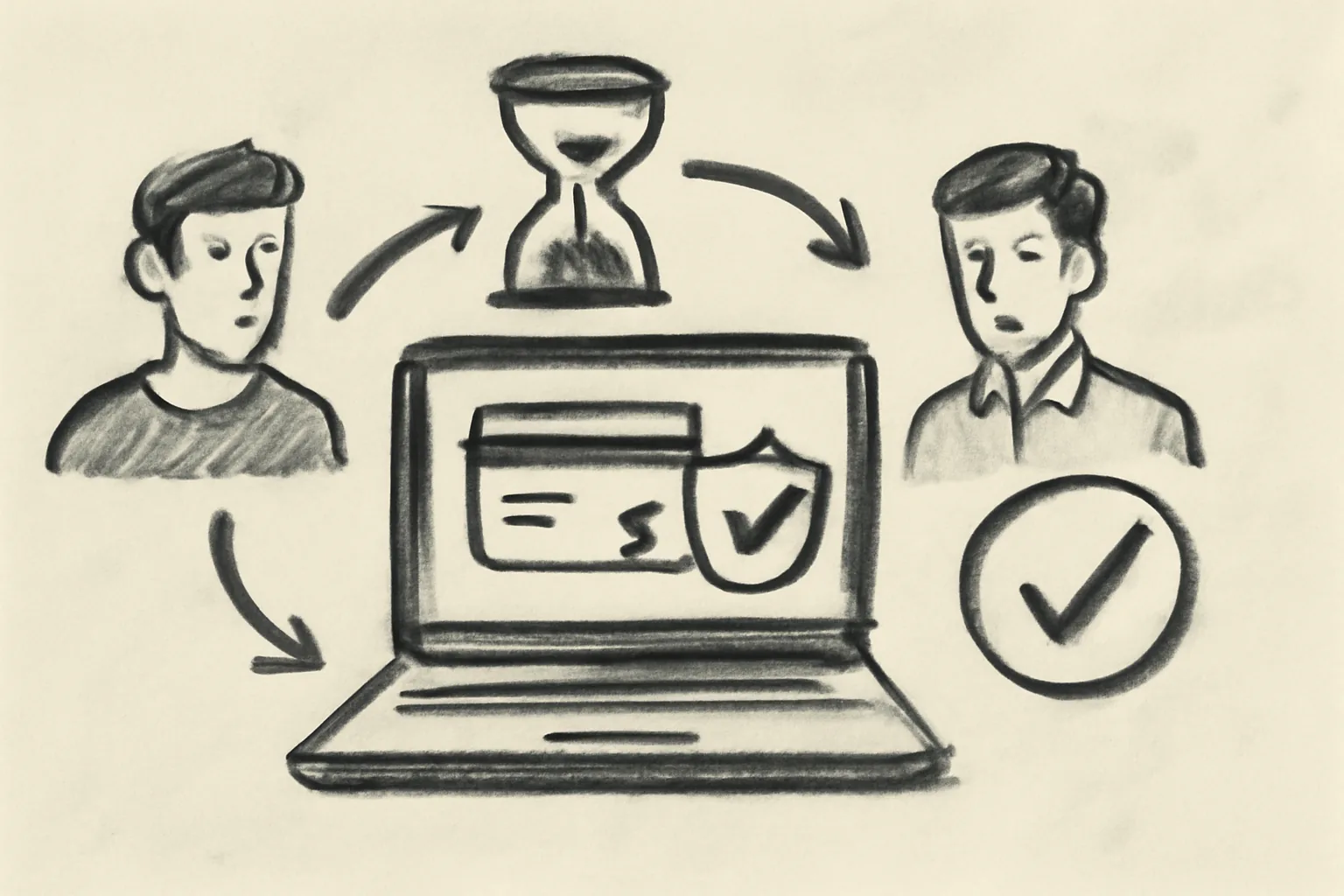
A payment can look “stuck” for 1 of 3 reasons: a verification hold, a real decline, or a payment that is still pending in the background. Those are not the same thing. A decline ends the attempt; a verification hold pauses it.
Start with the simplest clue: did the buyer see a screen asking for identity, 3D Secure, a banking app approval, or an OTP code? If yes, the payment is probably waiting on the buyer, not broken. That difference matters, because the fix is often one tap or one code.
Ask whether the buyer got a message such as “confirm your card,” “verify this payment,” or “approve in your app.” Those words point to verification, while “insufficient funds,” “do not honor,” or “card declined” point somewhere else. A payment that is merely pending may update later without action, but a verification hold usually will not move until the buyer completes the prompt.
If you already support buyer guidance pages, link the buyer to buying on admister and ask them to compare the on-screen steps with your checkout flow. If the buyer is unsure how the site works, the short guide on how admister works can also reduce confusion before the next attempt.
Ask the Buyer What Verification Screen or Message They See
The exact screen matters. Ask for the full text, the code number, the button label, and the time it appeared. A buyer’s phrase like “it asked for a code” is useful, but “it asked for a 6-digit OTP after card entry at 14:20” is far better.
Request a screenshot if the buyer can share one safely. Even a cropped image can show whether the hold comes from the card issuer, the wallet provider, or the checkout platform. A single phrase such as “authentication failed” often points to a different fix than “verification required.”
Do not guess from memory. A buyer may say the payment “failed,” but the display may actually have asked for a biometric approval in an app. That happens. If the message includes a code, copy it exactly; support teams usually need the code, not a summary.
One practical detail helps: note the time and the payment method used. A card payment with a 3D Secure prompt is handled differently from a bank transfer that asks for an app confirmation. If you need help collecting the right details, the site’s frequently asked questions page can be a quick reference for what buyers are commonly asked to provide.
Check Whether the Payment Method Requires Extra Customer Authentication
Many payment methods now require extra customer authentication before the charge is completed. For cards, that often means 3D Secure. For bank payments, it can mean a separate bank app approval. For wallets, it may be an OTP or an in-app confirmation.
These checks are normal. They exist to verify that the person paying is the real account holder. The payment can pause for 30 seconds, 3 minutes, or longer if the buyer leaves the screen or switches apps.
Watch for 4 common buyer-side checks: a card issuer challenge page, a texted code, a push approval in a banking app, or a wallet confirmation prompt. If the buyer never sees one, the payment method may not have reached the authentication stage at all. If the buyer sees one and ignores it, the payment stays in verification.
Ask the buyer whether they are using the same phone number and bank app tied to the payment method. A bank may send approval to the registered device, not to the device the buyer happens to be using for checkout. Small mismatch, big delay.
If the buyer is making a purchase and wants to understand safer payment behavior at the same time, point them to staying safe as a buyer. It is a short detour, and it can stop them from dismissing a legitimate authentication step as “just extra friction.”
Verify the Buyer’s Input Details Match the Payment Method Records
A verification hold often appears when the buyer’s details do not match the payment method records closely enough. Name, billing address, phone number, email, and account ownership all matter. One missing apartment number can matter too, depending on the provider.
Check the billing name against the card or bank account name first. Then check the billing address line by line. If the buyer used “Jon” on checkout but the card issuer has “Jonathan,” some systems will still pass, but others will place the payment into verification review.
Ownership is another problem. A buyer paying with a spouse’s card, a business card, or a shared wallet can trigger extra checks even when the card itself is valid. The system is trying to confirm that the payer and the account records belong together.
Phone numbers matter more than many sellers expect. If a payment method sends OTP codes to one number and the buyer entered another on the checkout form, the verification step can stall. Ask the buyer to compare the checkout details with the payment method profile before trying again.
Keep the question direct: “Did you enter the exact billing details saved to the card?” That avoids a long back-and-forth. It also gets you to the real issue faster than a generic “please confirm everything.”
Review Whether Device, Browser, or Network Changes May Be Triggering the Hold
Some verification systems watch for sudden changes in device, browser, or network. A buyer who starts on a laptop, switches to a phone, clears cookies, then returns from a VPN can look suspicious to a risk engine. The payment is not always blocked; sometimes it is simply held for review.
New location signals can trigger extra checks too. A buyer paying from a café in one city and then from a home connection in another may face a different verification prompt on the second attempt. The system sees inconsistency, not convenience.
Browser changes also matter. Private browsing, disabled cookies, ad blockers, or aggressive privacy settings can interrupt the verification flow. A 3D Secure window may fail to complete if the browser prevents the issuer page from loading properly.
Ask the buyer to retry from the same device, the same browser, and the same network if possible. That is not a magic fix, but it removes three common triggers at once. One change at a time is better than three new problems.
A buyer who has just turned on a VPN should turn it off and try again from the original connection. A buyer who cleared cookies should reopen a normal browser window. Simple, yes. Effective, often.
Help the Buyer Retry the Verification Step Safely
Do not tell the buyer to hammer the checkout button 10 times. Repeated failed attempts can extend the hold, trigger a temporary block, or create a second verification thread that is harder to untangle. One clean retry is better than a flurry of guesses.
Use a short, ordered process. First, have the buyer close the checkout page. Second, ask them to confirm the payment method details. Third, have them reopen the payment flow from the start. Fourth, tell them to wait for the verification prompt before changing tabs or apps.
If a code is involved, the buyer should enter it once and only once. Copying an old code or requesting multiple new codes can confuse the issuer’s risk system. That creates a new delay where there was only one before.
If the buyer is unsure whether they completed the step correctly, ask them to stop and capture the message before retrying. A failed 2nd attempt may lock them out longer than the original hold. That is the sort of detail support teams need when they are trying to explain why a buyer's payment is stuck in verification and how to resolve it.
When the buyer needs a fresh start, keep the retry narrow: same device, same card, same checkout page, same network if possible. Then wait for the exact prompt. No extra tabs. No half-finished refreshes. No “let me just try one more time” while the app is still loading.
Decide When to Wait and When to Escalate to the Payment Provider
Some verification holds clear on their own. A bank app approval may post after a short delay, and a card issuer challenge may finish in the background once the buyer confirms the code. If the prompt was just completed, waiting 10 to 15 minutes can be reasonable.
But waiting forever is not a plan. If the buyer never received a prompt, or if the prompt failed repeatedly with the same message, contact the card issuer, wallet provider, or checkout platform. Ask them whether the transaction is blocked by authentication rules, fraud filters, or a failed customer authentication record.
Use the provider name from the payment method itself. A Visa card challenge is not handled by the merchant site. A bank transfer app approval is not fixed by refreshing the browser. The correct party needs the correct case number, otherwise the loop continues.
When escalating, send 4 facts: time of attempt, payment method type, exact message, and number of retries. That set is enough to show whether the hold is temporary or stuck. If you also need a broader support channel, the page for admister explains where to send account-specific help requests.
Do not wait if the buyer reports a hard decline from the issuer, because a decline and a verification hold need different fixes. A decline means the transaction was refused. A hold means the transaction is still waiting on something.
Prevent Future Buyer Verification Holds on Similar Payments
Clear checkout instructions reduce repeat holds. Tell buyers in one sentence what they may see: card approval, app confirmation, or a text code. If they know to expect a verification step, they are less likely to abandon it halfway.
Offer supported payment methods that match your audience. If most buyers are mobile-first, a wallet with app approval may work better than a method that depends on desktop-only verification. If your checkout accepts multiple methods, steer buyers toward the one that has the fewest failed prompts in your records.
Keep the payment form consistent. Ask for the same billing name format every time. Do not switch between nickname-friendly and strict legal-name fields without reason. Tiny differences create avoidable verification reviews.
It also helps to warn buyers about device switching before payment. A buyer who starts checkout on one device and finishes on another is more likely to trigger verification than a buyer who stays put. One device, one browser, one payment attempt.
Use a short pre-check note if your buyers often miss OTP or 3D Secure prompts. A line like “watch for a bank approval message after you click pay” can save 5 minutes of confusion. That is a small instruction, but it prevents a common stall.
If your internal process needs more clarity on the payment journey, the page on the 7 admister services can help you match the right service flow to the right buyer action. The fewer surprises at checkout, the fewer verification holds you have to explain.